

As I’ve complained many times, TV makers can be stingy with specs. Despite HDMI 2.1 being available since 2017, many TVs are still stuck with HDMI 2.0 ports. There’s also no guarantee that you’ll get a TV with the fastest possible refresh rates, or USB-C, which is widespread on most of the other devices you own. Ultimately, it boils down to companies maintaining an iron grip on profit margins.
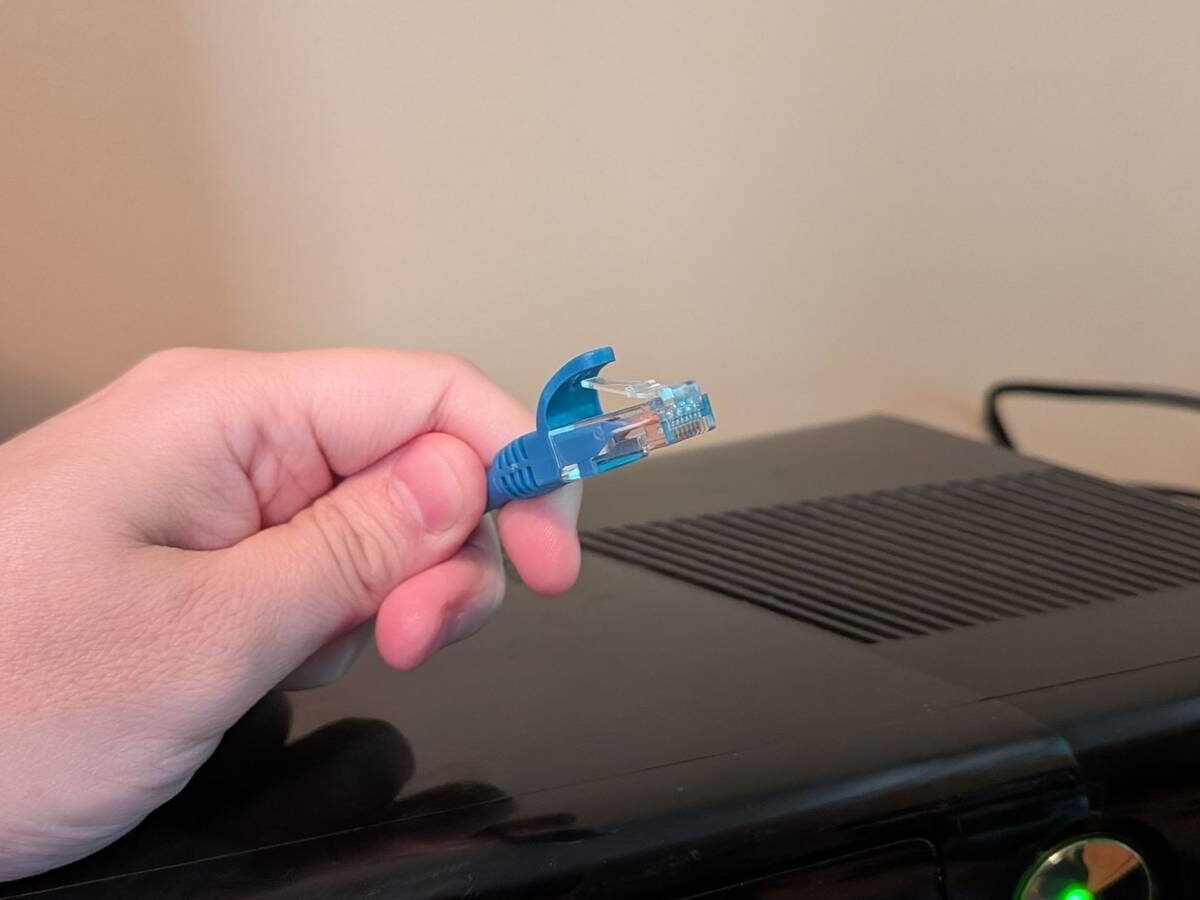
The consequence for us customers is that we may have to come up with workarounds if we want to get the most out of connected devices and services. That extends to Ethernet, which is nominally supposed to be a faster and more reliable alternative to Wi-Fi. In this piece I’ll explain what the trouble is, and how you can detour around it — though other specs on your TV may limit how far you can go. That last comment should make more sense in a moment.
The limits of your TV’s Ethernet, and how to bypass them
Sometimes simple, but watch out

I get the sense that for most if not all TV makers, Ethernet is an afterthought. It’s actually a common feature — but as far I’ve seen, there’s little effort put into marketing it, presumably because most customers are going to connect using Wi-Fi. That makes sense, really. People don’t necessarily keep their router in the same room, and everyone wants to reduce cable clutter if they can.
Ethernet can be invaluable, however, if you’re having difficulty with a flaky Wi-Fi signal, or you just want a consistently fast connection. Within the context of a home, Ethernet is effectively immune to range or interference issues, so its speed will only deviate along with internet and router traffic. Even then it’s immune to one form of congestion, namely which channels are occupied on a given wireless band.
If your TV does have an Ethernet port, there’s still the possibility that it will be needlessly crippled. Some ports are capped at 100Mbps — which might sound like plenty of bandwidth, until you realize that most Wi-Fi 6 connections are several times faster, never mind Wi-Fi 6E or 7. You should be able to stream 4K video at 100Mbps, but you may run into buffering delays, and larger software updates could take unnecessarily long to download and install.
The secret sauce here is your TV’s USB port. As far as most smart TVs are concerned, data is data, so if you can hook up the right adapter, you can get around speed limitations or the complete absence of Ethernet. What you’re shopping for specifically is a USB-to-Ethernet adapter.
Your first consideration should be matching an adapter to your TV’s USB form factor, whether that’s USB-A or USB-C. Otherwise you’ll need to add an adapter onto an adapter, which is slightly redundant.
As far as most smart TVs are concerned, data is data, so if you can hook up the right adapter, you can get around speed limitations or the complete absence of Ethernet.
You’ll also want to make sure an adapter is rated for gigabit (1Gbps) Ethernet speeds or better. That’s the next leap after the 100Mbps threshold, and in most homes, it should be more than enough to maximize what your router and internet plan are rated for. Match this with a Cat 6 Ethernet cable. Strictly speaking, Cat 5e is fast enough, but Cat 6 is so affordable now that there’s no point in sacrificing its 10Gbps ceiling. There’s no telling what you’ll be pairing the cable with in the future.
In theory you can get speeds up to 2.5Gbps or even higher if you’re paying your ISP for them, but this brings me to the next consideration — matching up USB performance specs. While adapters usually support 5Gbps USB 3.0, if not better, one or more of your TV’s USB ports may be stuck at the 2.0 level, which tops out at 480Mbps. In that case, you’ll have to weigh just how badly you value a stable connection and freeing up the airwaves, since that’s roughly on par with Wi-Fi, and often slower.
Some of you are no doubt wondering about add-on media streamers. On that front, there’s good news and bad news. The good news is that some models have gigabit Ethernet built in, like the Google TV Streamer and the high-end version of the Apple TV 4K. The bad news is that other products are generally limited to 100Mbps, or don’t have an Ethernet port at all. You can sometimes find tailor-made adapters for streamers, but those seem to top out at 100Mbps too.
Regardless of your exact setup, once you’ve got everything plugged in, make sure to check your TV or streamer’s internet settings. While your adapter may be recognized right away, there’s a chance you’ll have to manually flip things over to the wired link, or disable the product’s Wi-Fi radios. Avoid disabling Wi-Fi if you can, though. That may interfere with other functions, and of course you’ll have to re-enable wireless later if you unplug the Ethernet cable.
Is it really worth switching to Ethernet?
A few final thoughts

For the average person, Wi-Fi is probably fine. Assuming there aren’t any range or interference problems, even Wi-Fi 5 is more than sufficient, speed-wise. Wi-Fi 6 is increasingly de facto, and gradually, Wi-Fi 7 is beginning to take its place.
As I’ve hinted though, Ethernet is often the best or only solution if signal quality does create trouble. Interference can be caused by wall or floor materials, as well as some furniture and appliances, or competing wireless signals that you have no control over. As for range, that’s less likely to be a concern — but your router could conceivably be stuck in a room that’s too far away from where you actually watch TV, whether that’s a living room, bedroom, or home gym. A mesh router or Wi-Fi extender may be a solution, but then an Ethernet cable is likely to be cheaper than either of those, as long as you can string it around your home without too many additional expenses.
Ethernet is often the best or only solution if signal quality does create trouble. Interference can be caused by wall or floor materials, as well as some furniture and appliances, or competing wireless signals that you have no control over.
I wouldn’t discount the value of freeing up wireless spectrum. That can make things easier on devices that have no choice but to use Wi-Fi, such as laptops, tablets, and handheld PCs when they aren’t connected to a dock. Indeed if you have a complex smart home setup, you may already be living on the edge of your router’s simultaneous connection limit. When that number is hit, older connections get bumped offline. You should fine if your router is based on Wi-Fi 6 or later — that said, there’s no sense risking an unstable network if Ethernet is convenient for you. I just wish more TV and streamer makers would take the hint.

- Dimensions
-
6.4 x 3 x 1-inch
- Connective Technology
-
Wi-Fi, Bluetooth
- Brand
-
Google
- What’s Included
-
Remote