
If you have a lot of devices to plug into your TV at once, a common solution to that is picking up a receiver. While audio is the big thing for a receiver, it’s also a relatively easy way to keep everything plugged in at once without having to switch HDMI cables back and forth all the time. I love my Denon 760h for this reason, as my Xbox Series X, Switch 2, 4K Blu-ray player, and Apple TV 4K are all plugged in at the same time, and none of them leave performance on the table by doing so.
However, the 760h is a relatively new receiver that comes with 4K support. There are many other receivers that either don’t support HDMI at all or ones that don’t have any 4K options. I picked up a receiver from Goodwill that falls into that second category, and that means plugging my PS5 into it isn’t the best idea. It’ll work, but it means I won’t have 4K resolution, and I hope that’s not a trap other people are falling into without realizing it. It’s part of the blessing and the curse that is HDMI cable backward compatibility.
Make sure your TV’s ports aren’t better than your receiver’s
An easy mistake to make

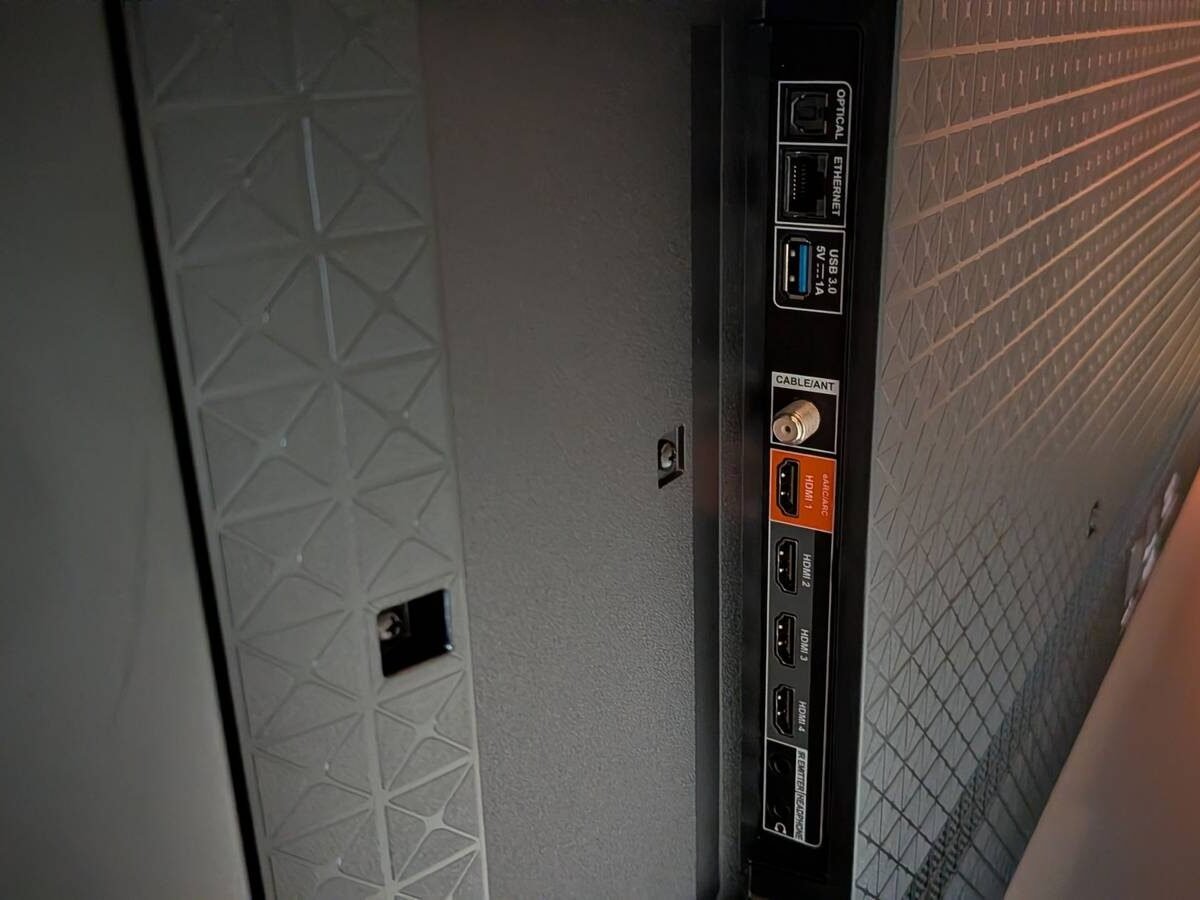
If you’re like me and coming from a newer receiver to an older one, it’s a bit of whiplash as I’m used to just plugging everything I have into the receiver and calling it a day. I can’t do that with this older Yamaha one I bought, but that doesn’t mean it’s useless. What I’m able to do is plug an HDMI cable into the TV’s eARC port from the receiver and use it to pass audio through. My PS5 is plugged into the TV itself, so it still gives me the best experience possible — good audio and 4K resolution.
There’s a good chance that your TV, if it’s modern, has an HDMI 2.1 port, and that’s a very important port. That will give your Xbox Series X or PS5 120 FPS support, and it’s only available if your console is plugged into that port. An older receiver might not let you do that, so you need to make sure you’re using the correct ports for the best performance.
I’m somebody who is used to plugging everything into the receiver, so I had to double-check and make sure that was the right thing for me to do. It’s a good thing my TV has a good number of HDMI ports, because my Yamaha doesn’t have any 4K capabilities whatsoever.
Check the back of your receiver
You might learn a thing or two

It’s easy to plug everything into your receiver and not worry about it, but that’s no good if you’re leaving performance on the table. Chances are that if you have a receiver in the first place, you probably care about quality. The good news is that you’ll always be able to get decent audio out of your TV with a receiver, even if it’s too old to have Dolby Atmos capabilities.
Even if your receiver doesn’t have an HDMI port, there’s usually a way to get it plugged into a modern TV, so don’t worry about not being able to use your TV’s eARC port. Electronics don’t always have a long shelf life, but I’ve found that you can get quite a bit of mileage out of a receiver as long as you’re aware of its limitations. Because of this, you can snag some good deals on good receivers if you do your proper research ahead of time and know what you need. If you ask me, the jump in audio is worth spending a few dollars on, and if you can get more devices plugged into your TV at once, that’s a bonus too.